The better way to manage your school with LMS
LMS is a modern, fully responsive, and easy-to-use platform designed to help teachers, students, and parents stay connected.

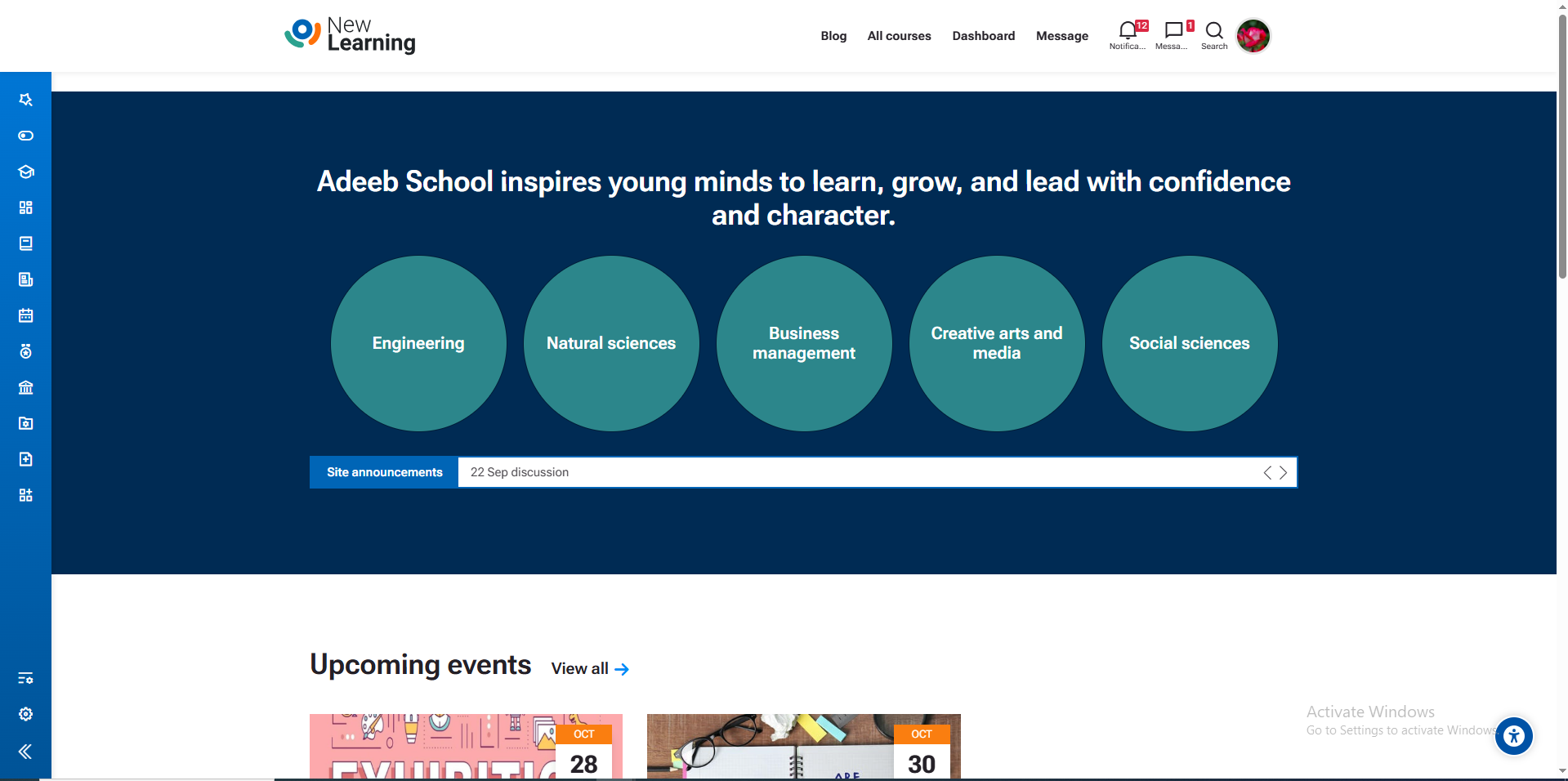
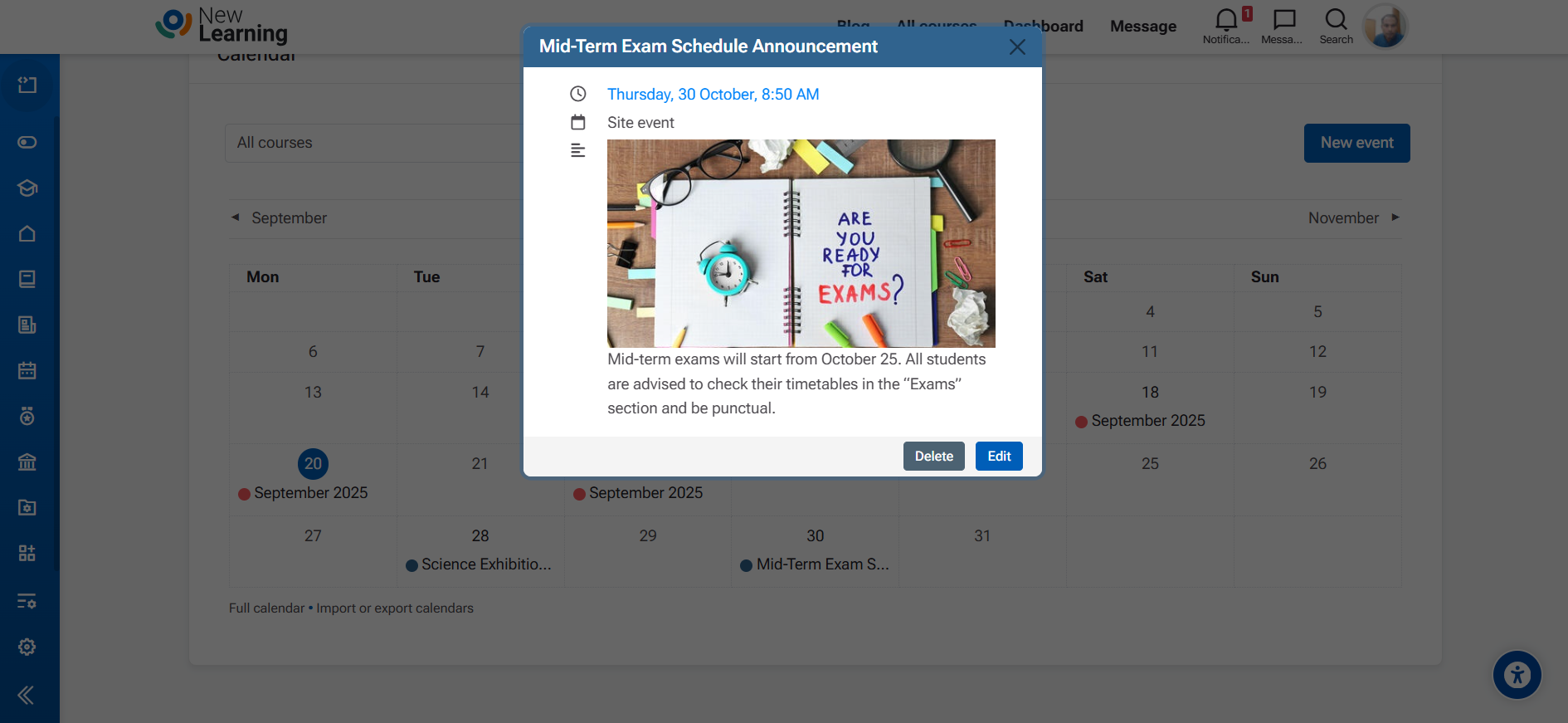
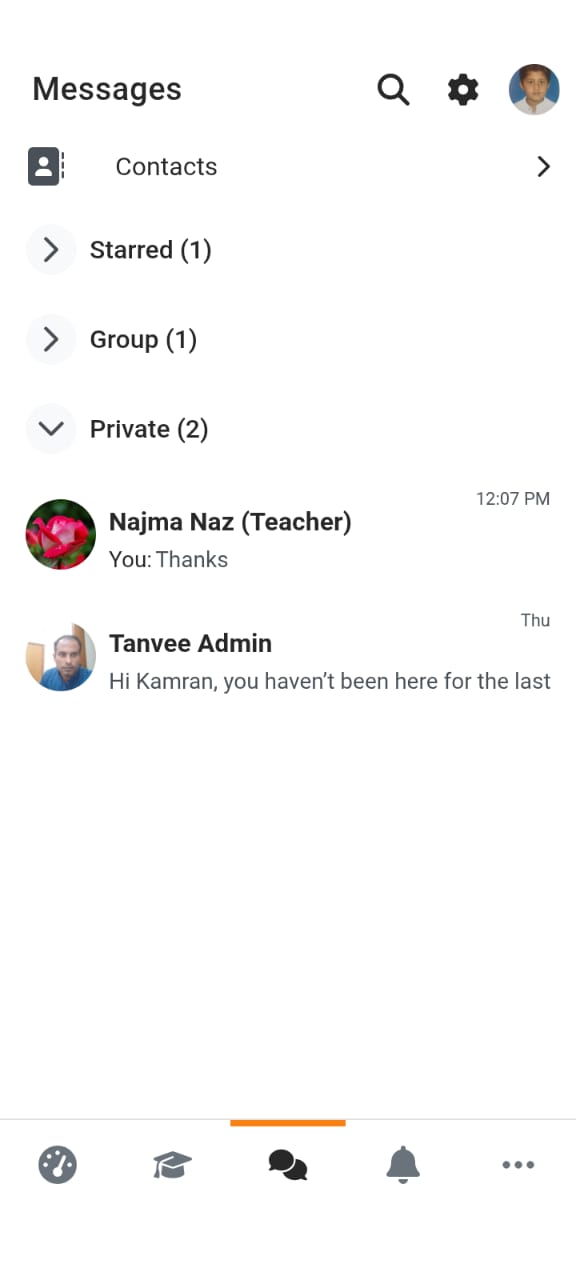
The LMS (Learning Management System) offers the following key features. Please refer to the picture below for a demo reference.
LMS Messaging Feature
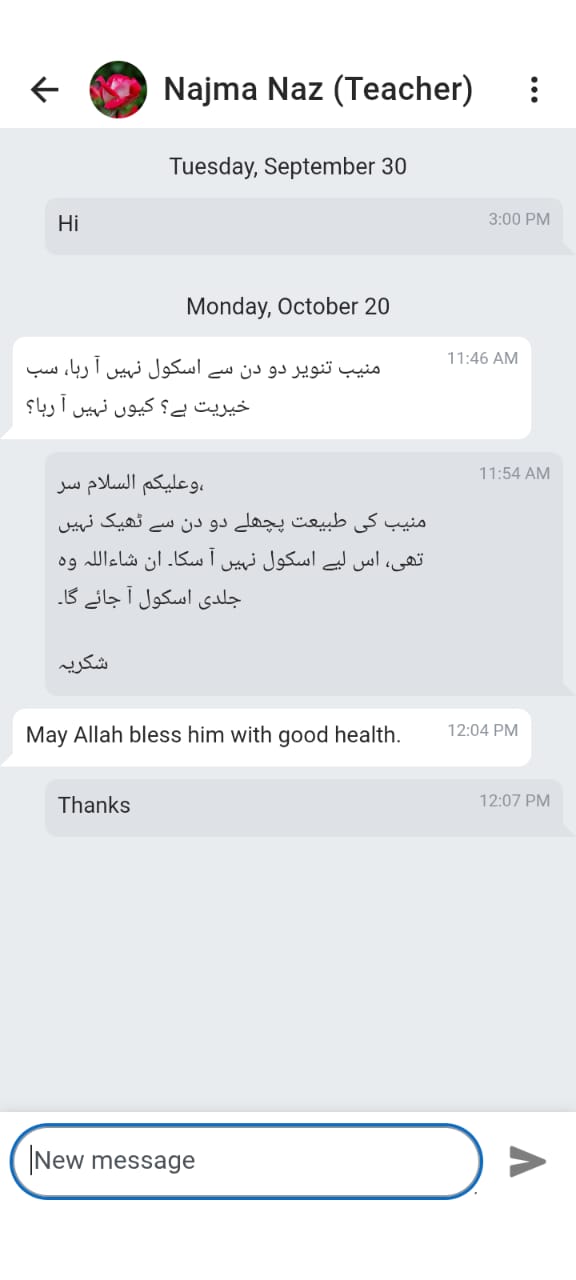
The LMS Messaging Feature allows secure and instant communication between admins, teachers, students, and parents. Users can send private messages or participate in group chats — all within LMS or its mobile app.
For School Admin
Send announcements, connect instantly with staff and students, and keep all communication secure inside LMS.
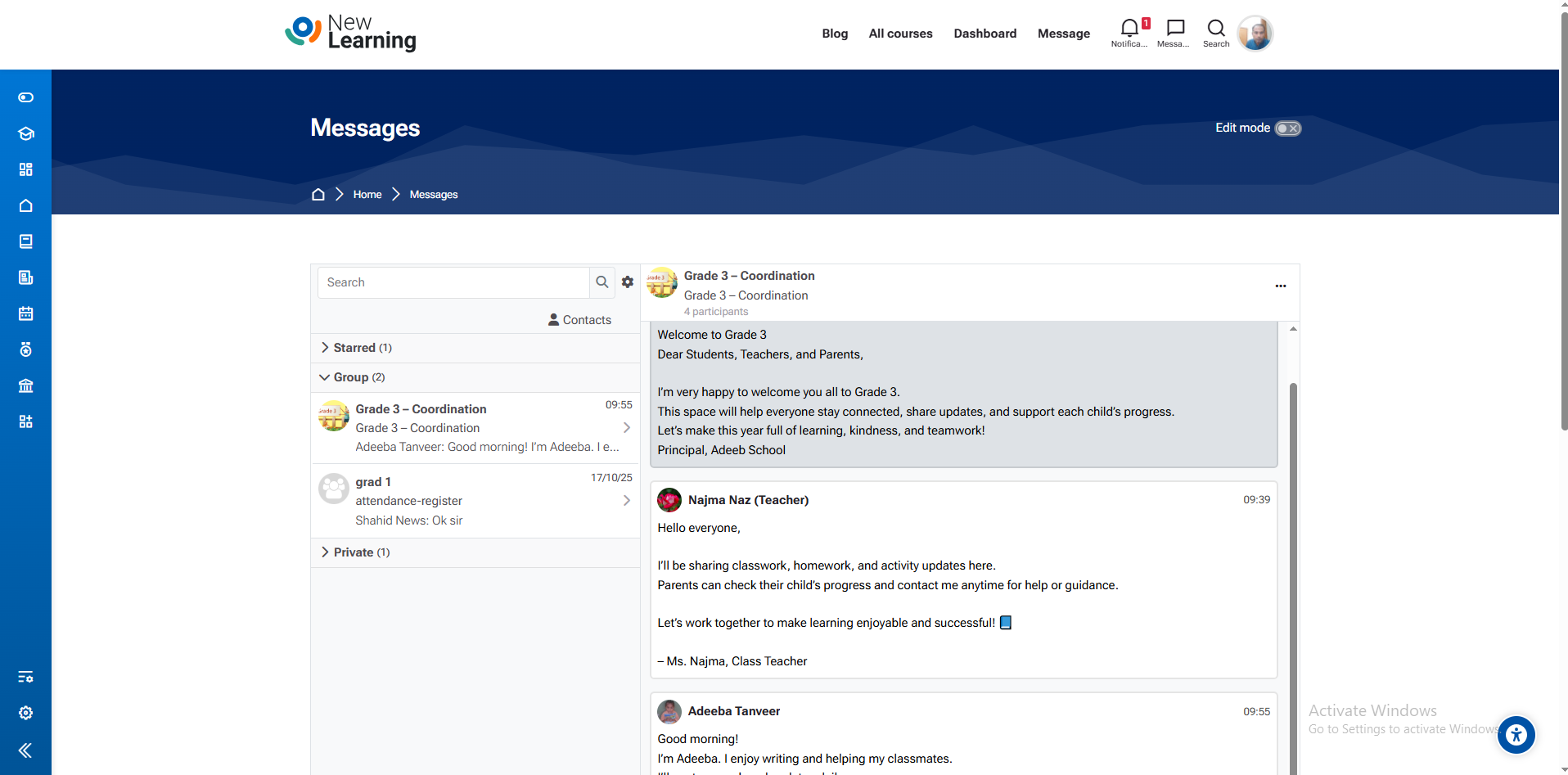
For Teachers
Chat privately with students, manage group discussions, and coordinate easily with colleagues — all in one place.
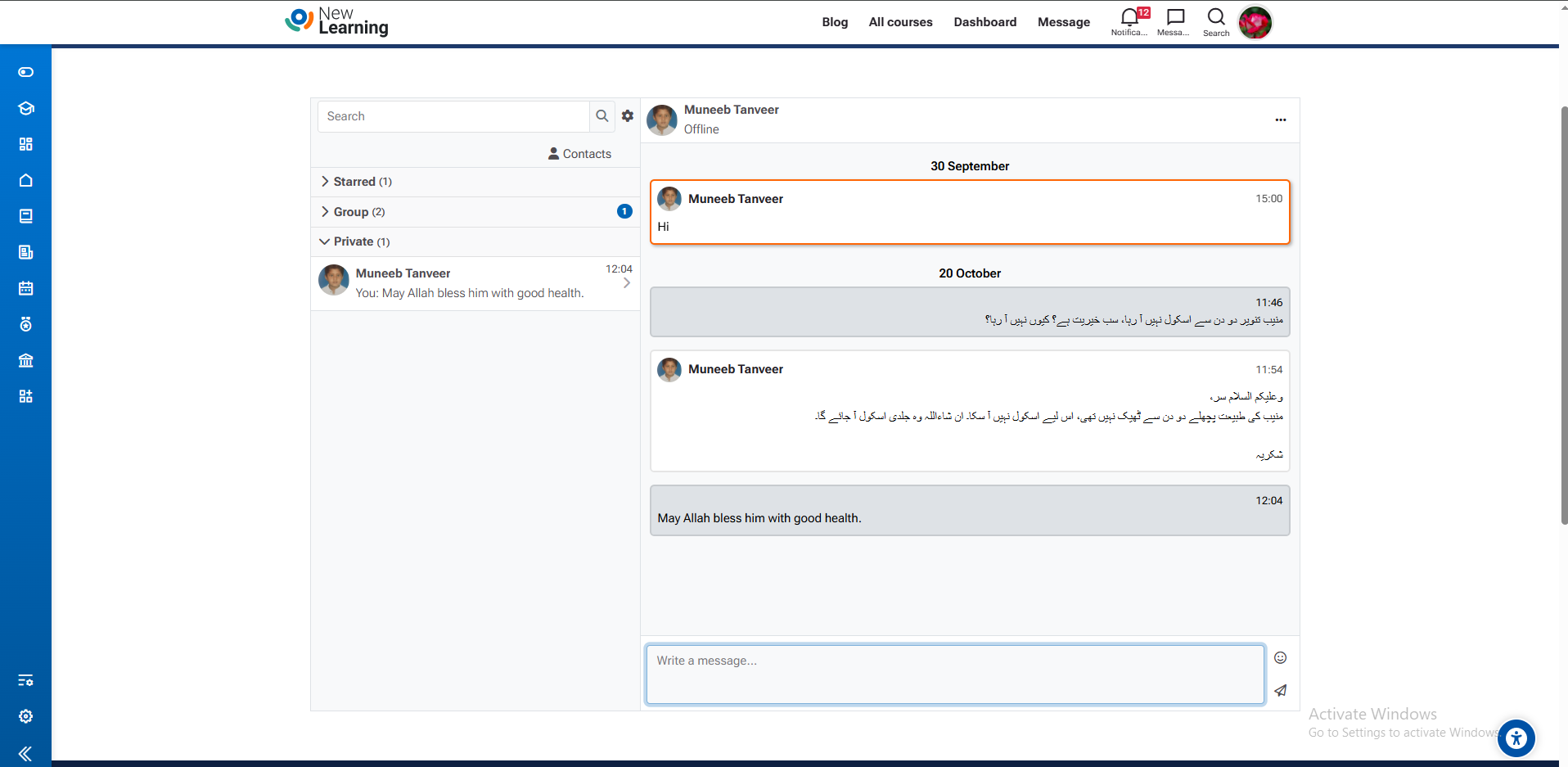
For Students
Communicate directly with teachers or classmates, get instant updates, and collaborate easily on projects.
For Parents
Stay informed about your child’s progress, communicate with teachers, and receive school notifications instantly.
✨ Easy to Use & Mobile Friendly
The messaging feature is simple and accessible through both web and mobile apps, making communication fast, private, and efficient for everyone in the school.
Site Announcements
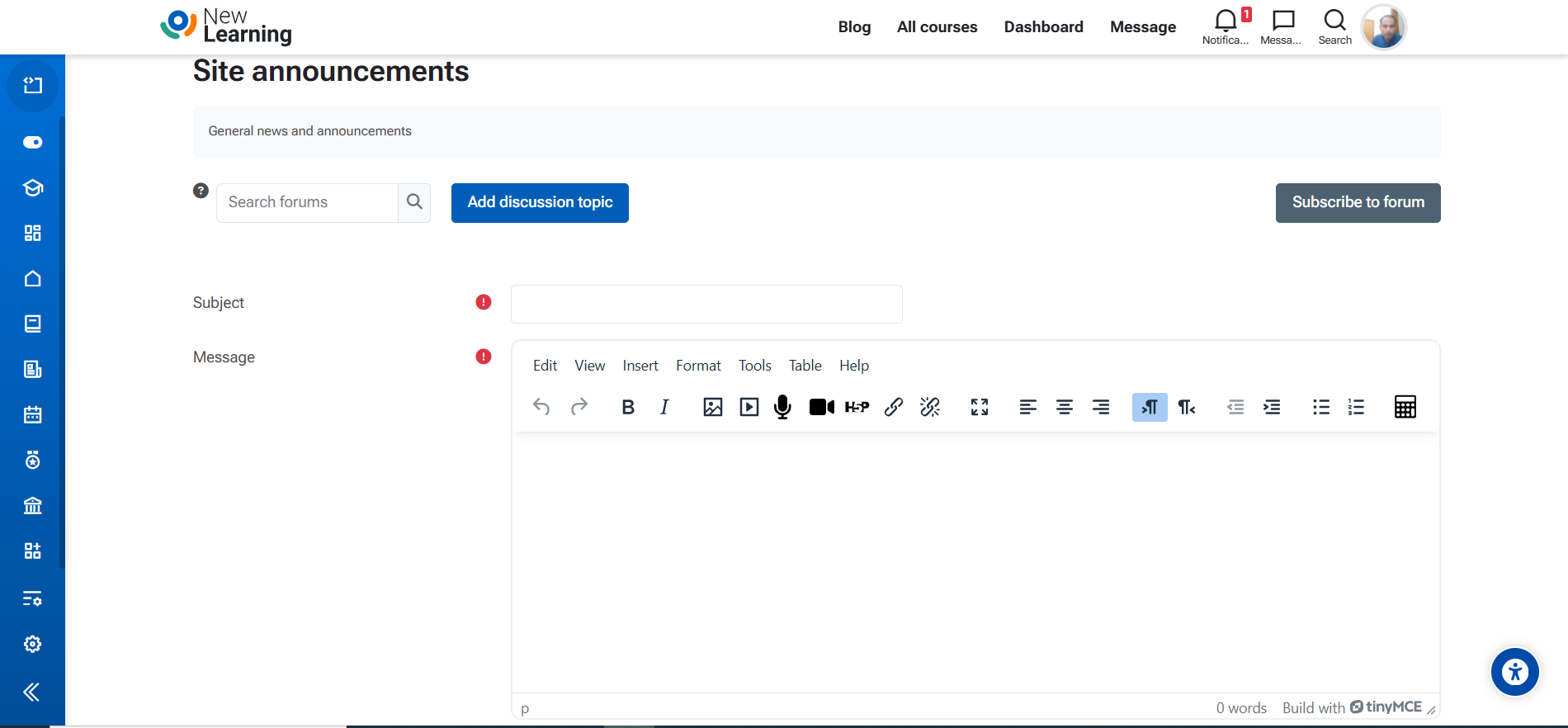
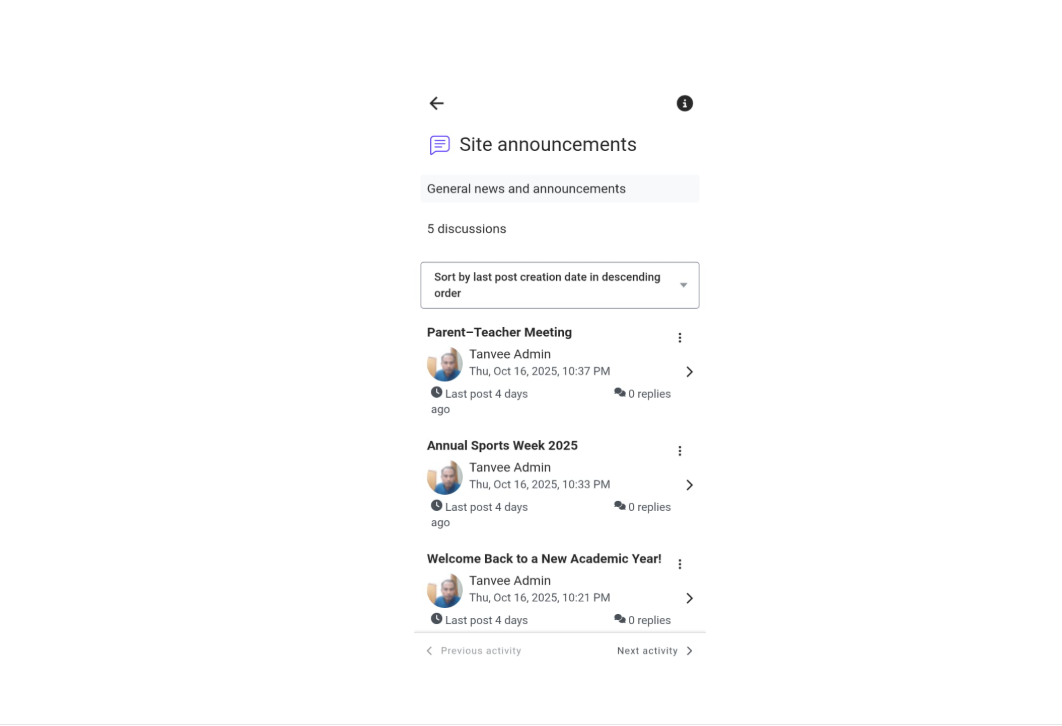
The Site Announcements feature helps school administrators share important updates, events, and news with all users. Admins can easily post announcements from the web, while students and parents can instantly view them on the LMS mobile app or web portal.
Admin View
For Admin
Admins can create and manage announcements directly from the admin panel. Share important messages such as school events, updates, alerts, or notices instantly across the platform.
Student View
For Students
Students can view announcements instantly on their mobile app or web dashboard — ensuring they never miss an update from the school.
✨ Easy to Use & Mobile Friendly
The Site Announcement feature ensures all users stay informed. Updates are synced automatically and accessible from both web and mobile platforms.
Event Management
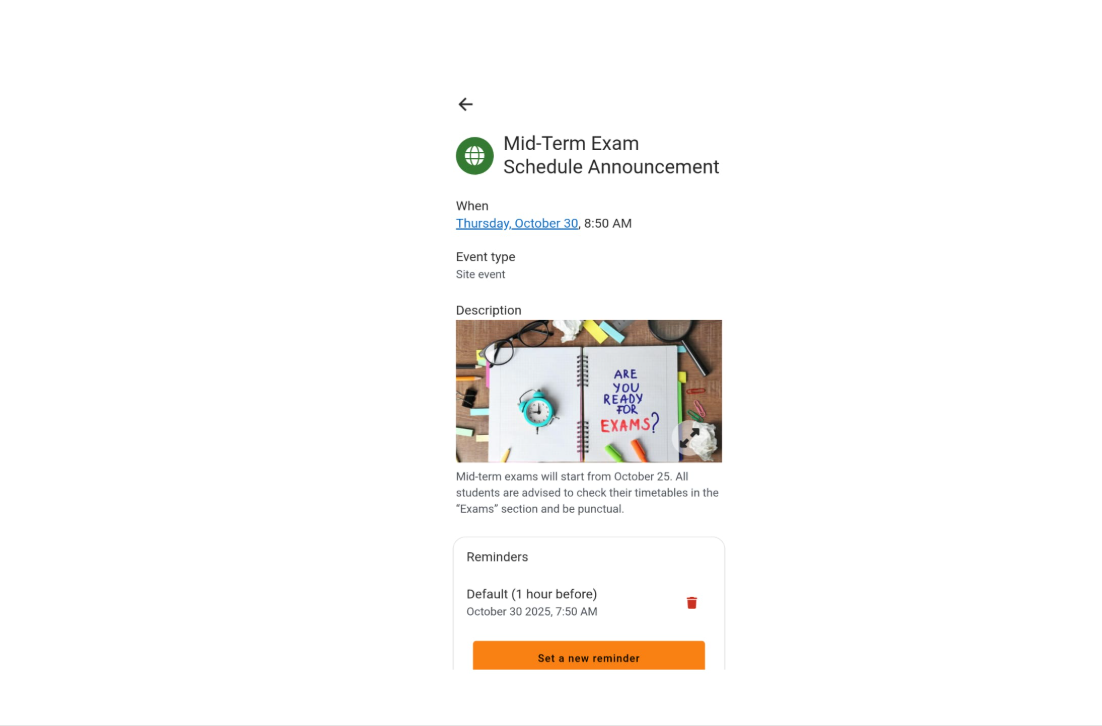
The Event Management feature allows school administrators and principals to easily organize, schedule, and communicate school events. It strengthens the connection between students, parents, and teachers by keeping everyone informed and engaged through timely event updates, reminders, and participation tools.
Principal / Admin View
For Principal & Admins
Principals can plan and manage school events such as assemblies, sports days, parent–teacher meetings, or cultural activities — all in one place. This promotes better communication and stronger relationships between the school, students, and parents.
Student & Parent View
For Students & Parents
Students and parents can view upcoming events, receive instant reminders, and participate in school activities from their dashboard or mobile app. This keeps families actively engaged and helps strengthen the school community.
🎯 Purpose
The Event Management feature helps the school principal build better relationships between parents, students, and staff by promoting transparency, teamwork, and school pride. Every event becomes a meaningful opportunity for connection and growth.
LMS Blog
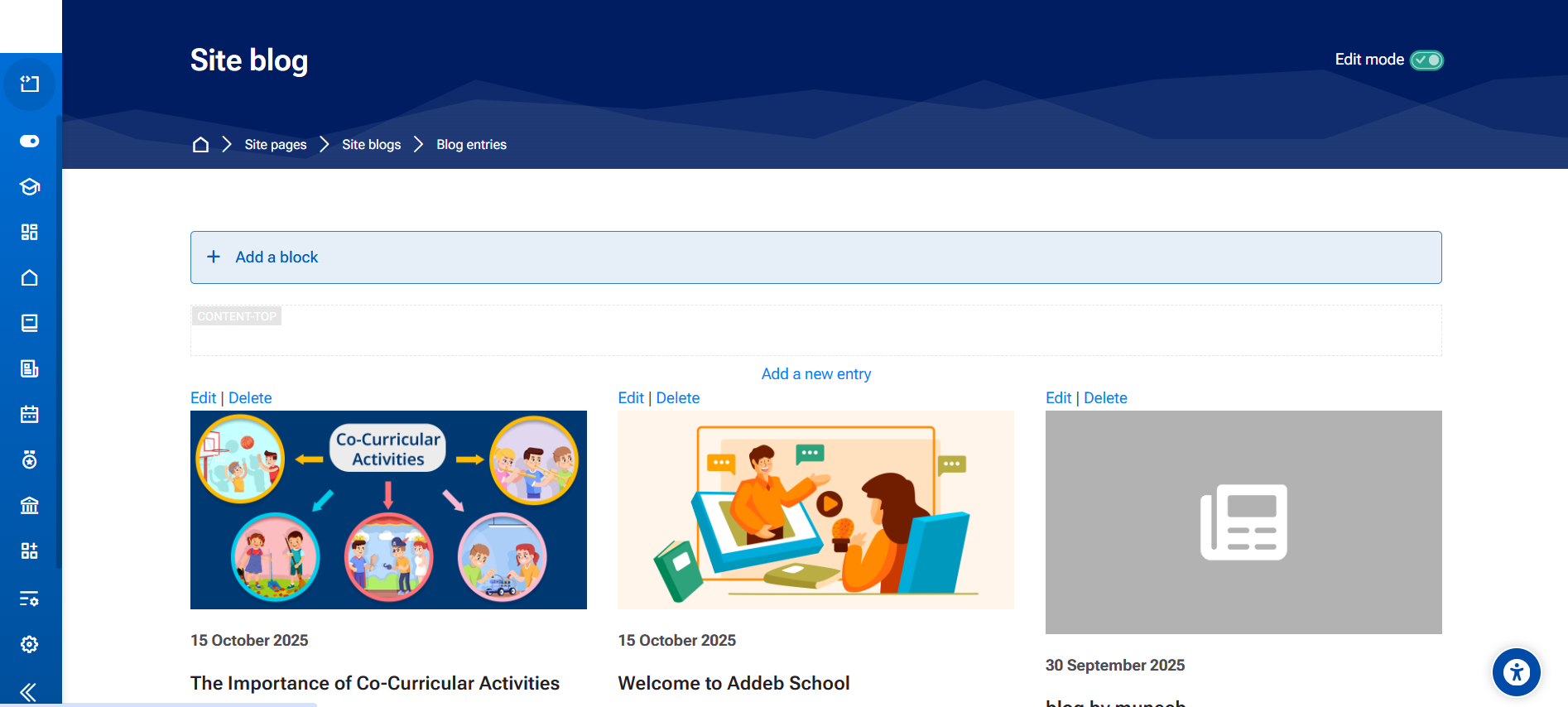
The LMS Blog feature provides a powerful space for students, teachers, and administrators to share ideas, reflections, and achievements. It promotes creative expression, knowledge sharing, and continuous learning — both inside and outside the classroom.
Teacher / Admin View
For Teachers & Admins
Teachers and administrators can create and publish posts about school updates, learning materials, achievements, or motivational messages. It helps in enhancing engagement and building a positive school culture.
Student View
For Students
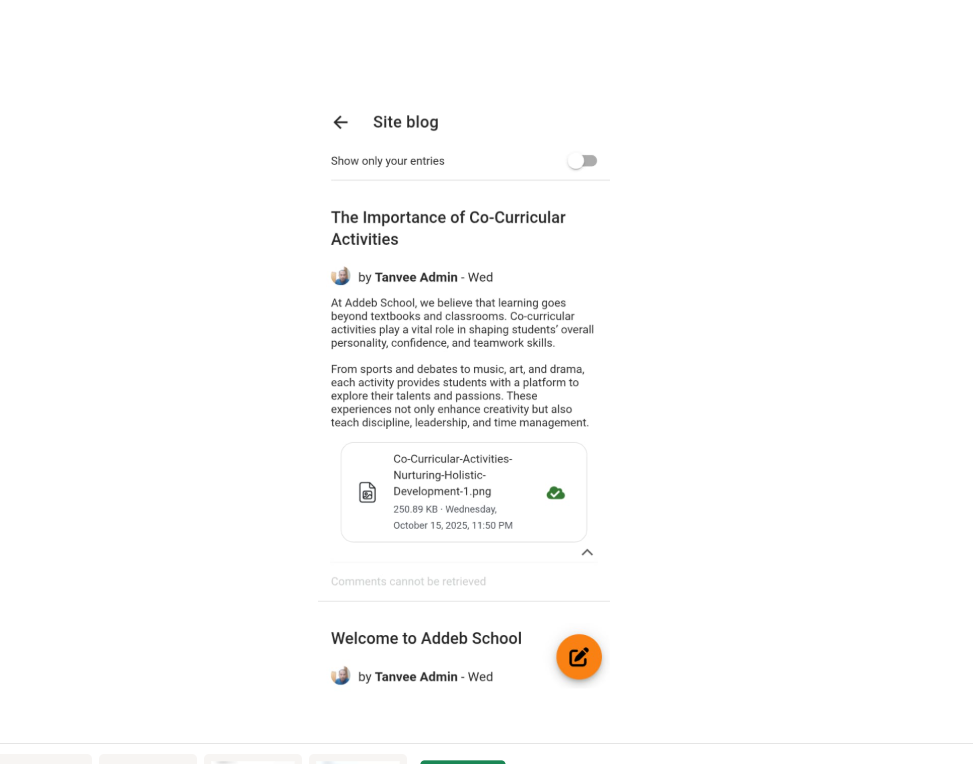
Students can write their own blog posts, share reflections on projects, or highlight personal achievements. It encourages communication, creativity, and self-expression in a safe learning environment.
💡 Purpose
The LMS Blog helps strengthen collaboration and communication between teachers, students, and parents. By sharing stories and insights, it builds a connected and motivated school community that celebrates learning and growth.
LMS School Diary
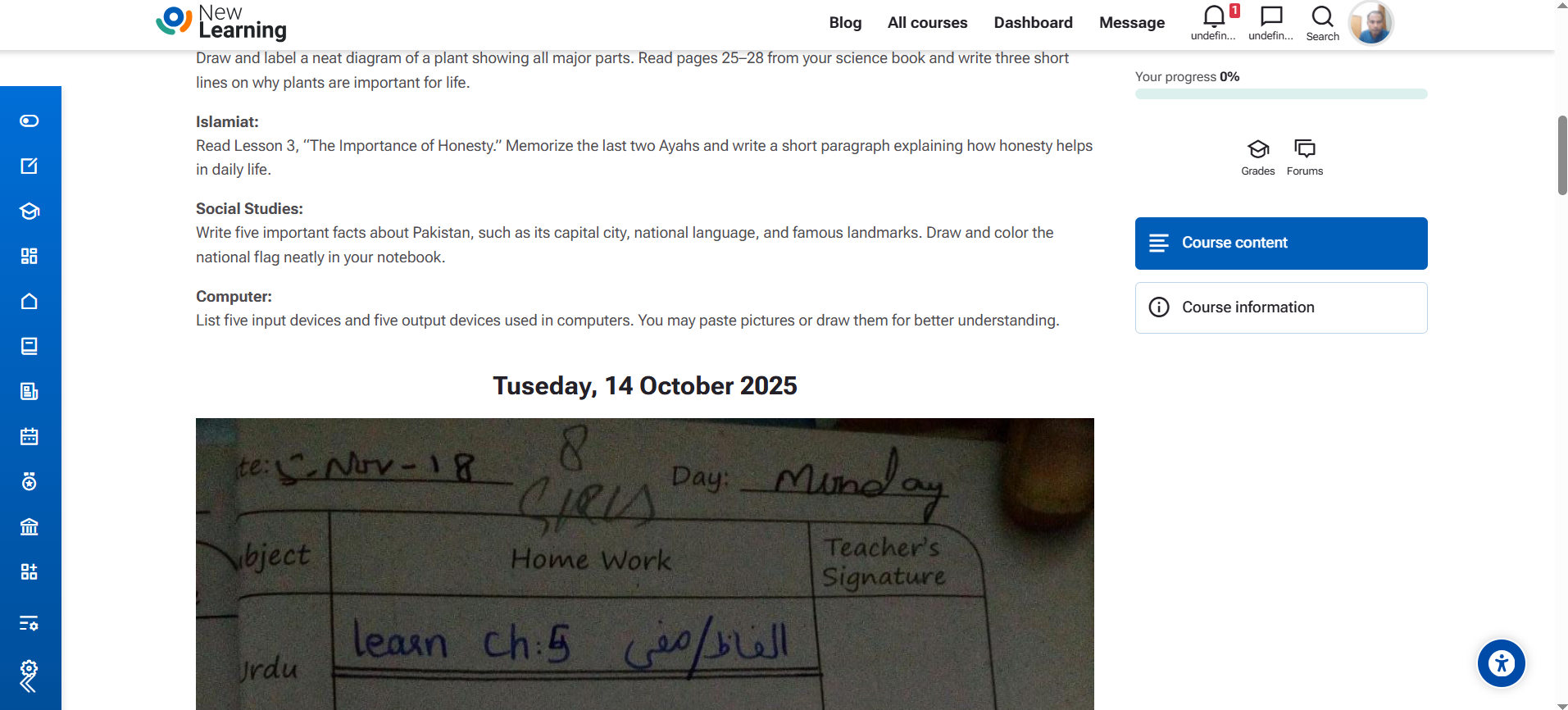
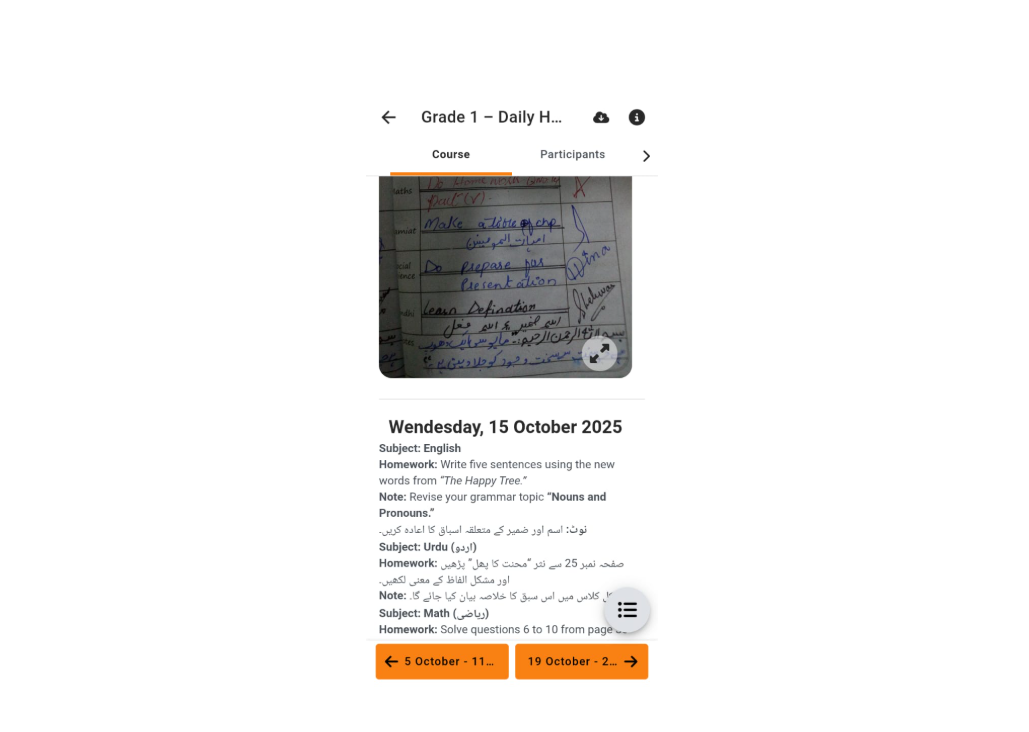
The School Diary feature in LMS acts as a digital version of the traditional diary — connecting students, teachers, and parents for daily academic updates, reminders, and reflections. It supports organization, communication, and personal growth across the school community.
Teacher / Admin View
For Teachers & Admins
Teachers can record daily lessons, homework, and attendance notes directly in the system. It ensures transparency and consistency in communication with both students and parents. Administrators can monitor activity and provide feedback or guidance easily.
Student View
For Students
Students can view daily assignments, teacher notes, and progress remarks. They can also add personal reflections or study plans to improve discipline and self-awareness. The diary promotes responsibility, motivation, and a sense of achievement.
💡 Purpose & Benefits
The LMS School Diary enhances collaboration and accountability in learning. It keeps teachers, students, and parents aligned and informed. By reflecting daily progress, it helps build time management skills, encourages positive habits, and motivates continuous improvement.
LMS Attendance
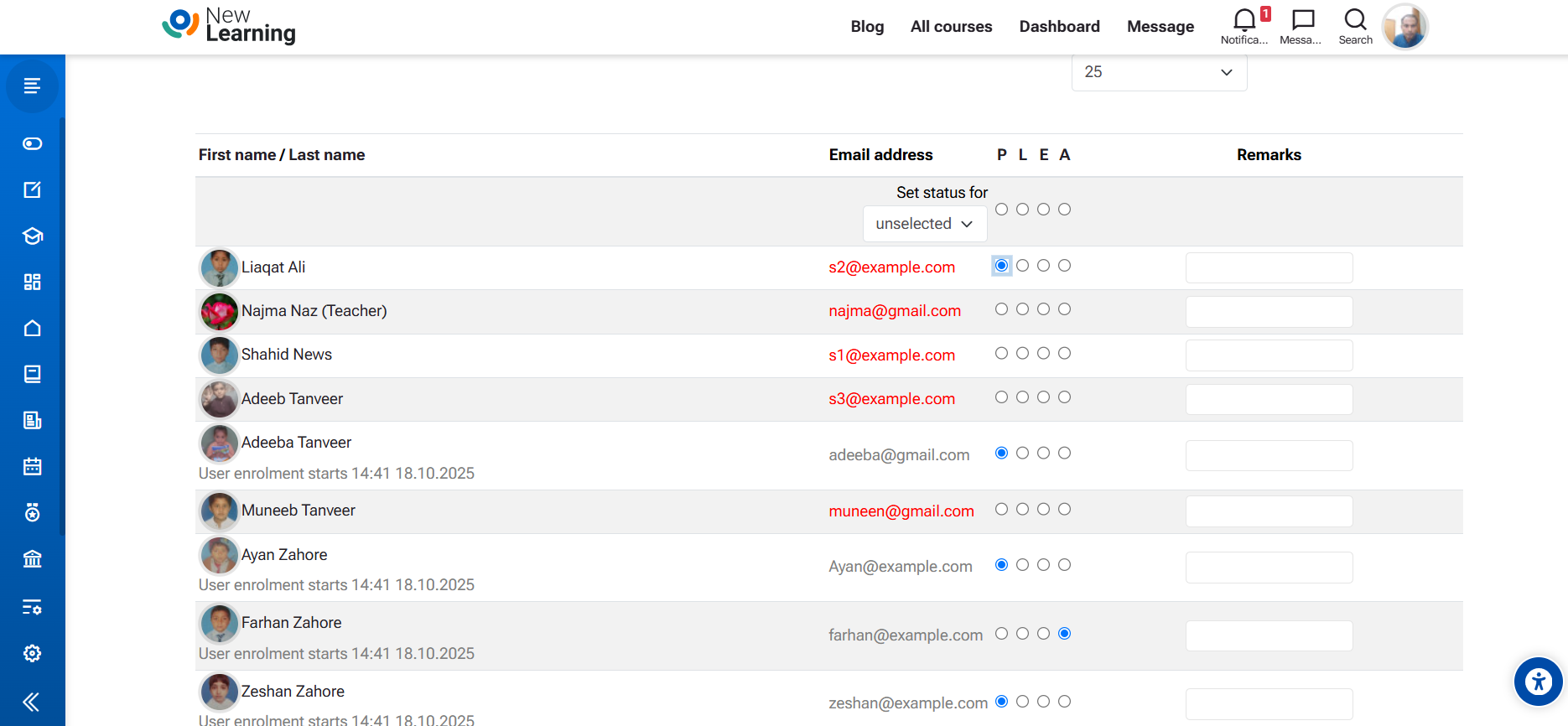
The LMS Attendance feature helps teachers track and manage student participation in classes efficiently. It provides a clear record of attendance, absences, and punctuality — ensuring accountability, discipline, and student engagement across the school.
Teacher / Admin View
For Teachers & Admins
Teachers can easily mark attendance for each class, record late arrivals, and monitor attendance trends over time. Administrators can view detailed reports to analyze class participation and identify areas that need improvement. This feature supports transparency and data-driven decisions in managing student performance.
Student View
For Students
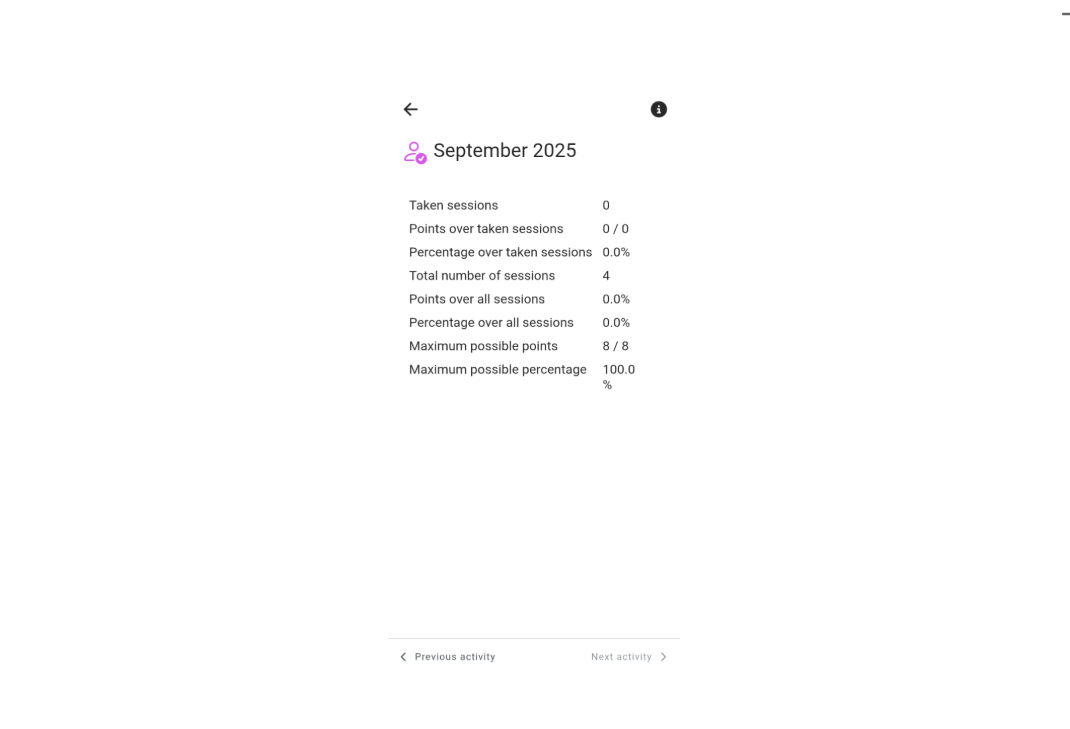
Students can view their attendance records in real-time and monitor their consistency. This helps them understand how attendance affects academic success and encourages responsibility and punctuality. Regular attendance fosters better focus, motivation, and discipline in learning.
💡 Purpose & Benefits
The LMS Attendance feature strengthens accountability and engagement between teachers and students. It ensures that attendance data is always accurate, transparent, and accessible. By making attendance meaningful, it motivates students to participate actively and helps schools maintain discipline and academic integrity.
LMS Result
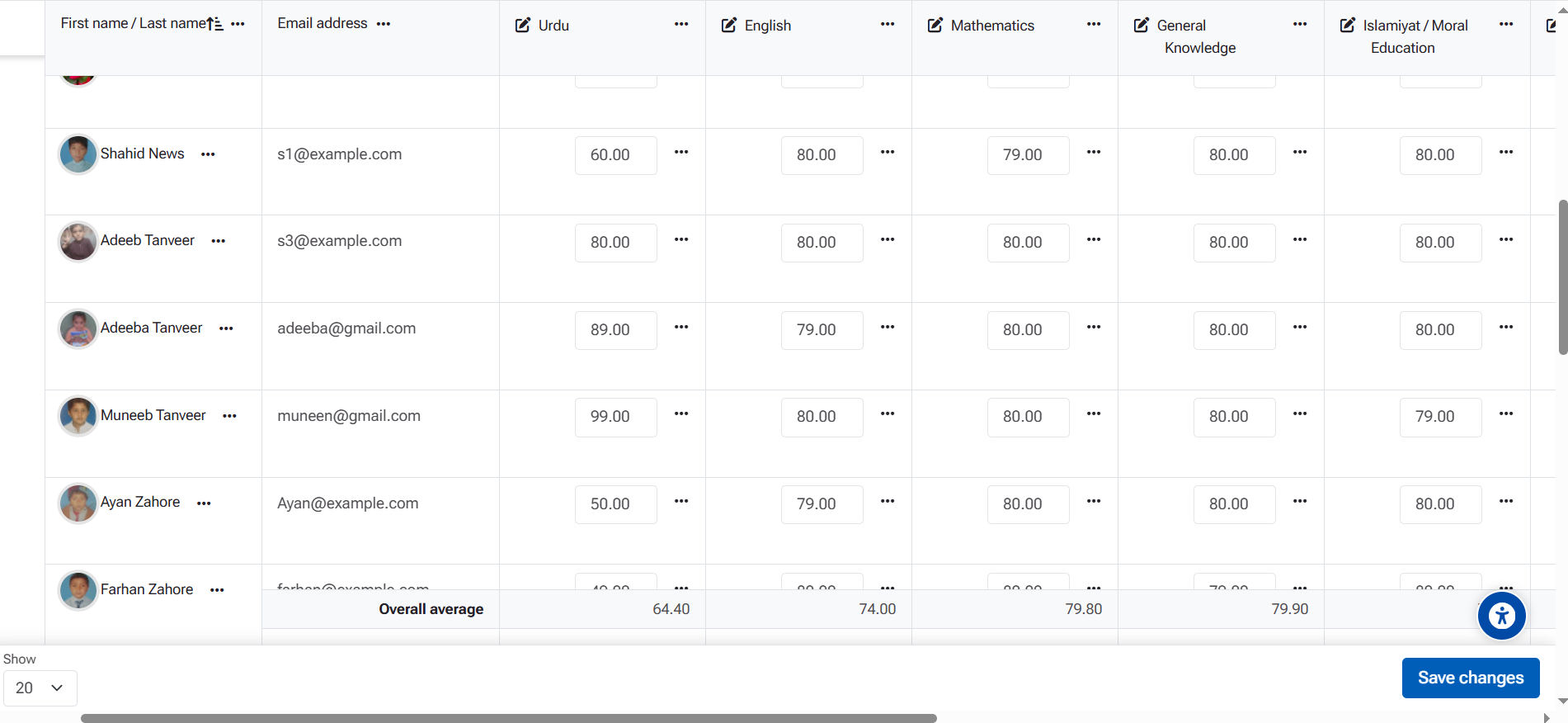
The LMS Result feature provides an efficient way to manage and share student performance records online. It offers transparency and easy access to marks, grades, and progress reports — encouraging continuous improvement and supporting a data-driven learning culture.
Teacher / Admin View
For Teachers & Admins
Teachers can record, calculate, and publish student grades directly within LMS. The system supports automatic gradebook updates, progress charts, and analytics. Admins can monitor overall class performance and generate detailed reports for parent-teacher meetings and institutional planning.
Student View
For Students
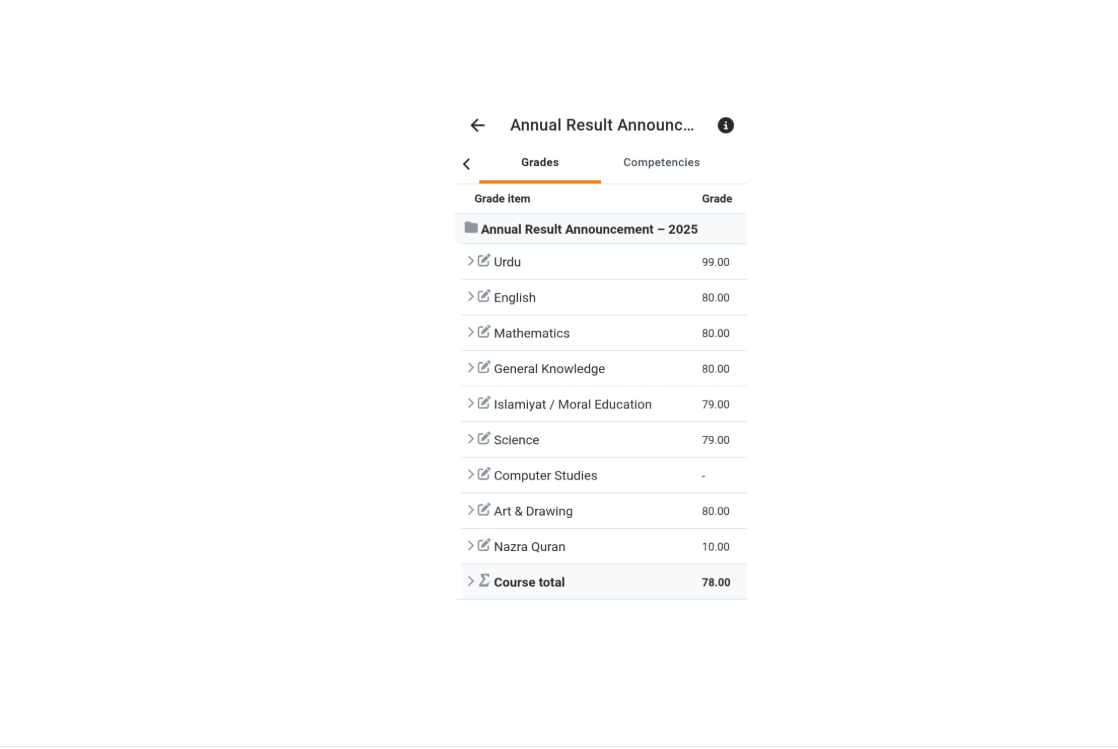
Students can instantly view their marks, grades, and teacher feedback for each subject or course. This helps them track academic progress, identify strengths and weaknesses, and set learning goals. The feature encourages self-improvement, motivation, and a growth mindset.
💡 Purpose & Benefits
The LMS Result feature helps create a transparent and motivating academic environment. It keeps students informed, teachers organized, and parents updated. With clear performance insights, schools can encourage healthy competition, celebrate achievements, and provide timely academic support to every learner.
LMS Quiz & Online Test
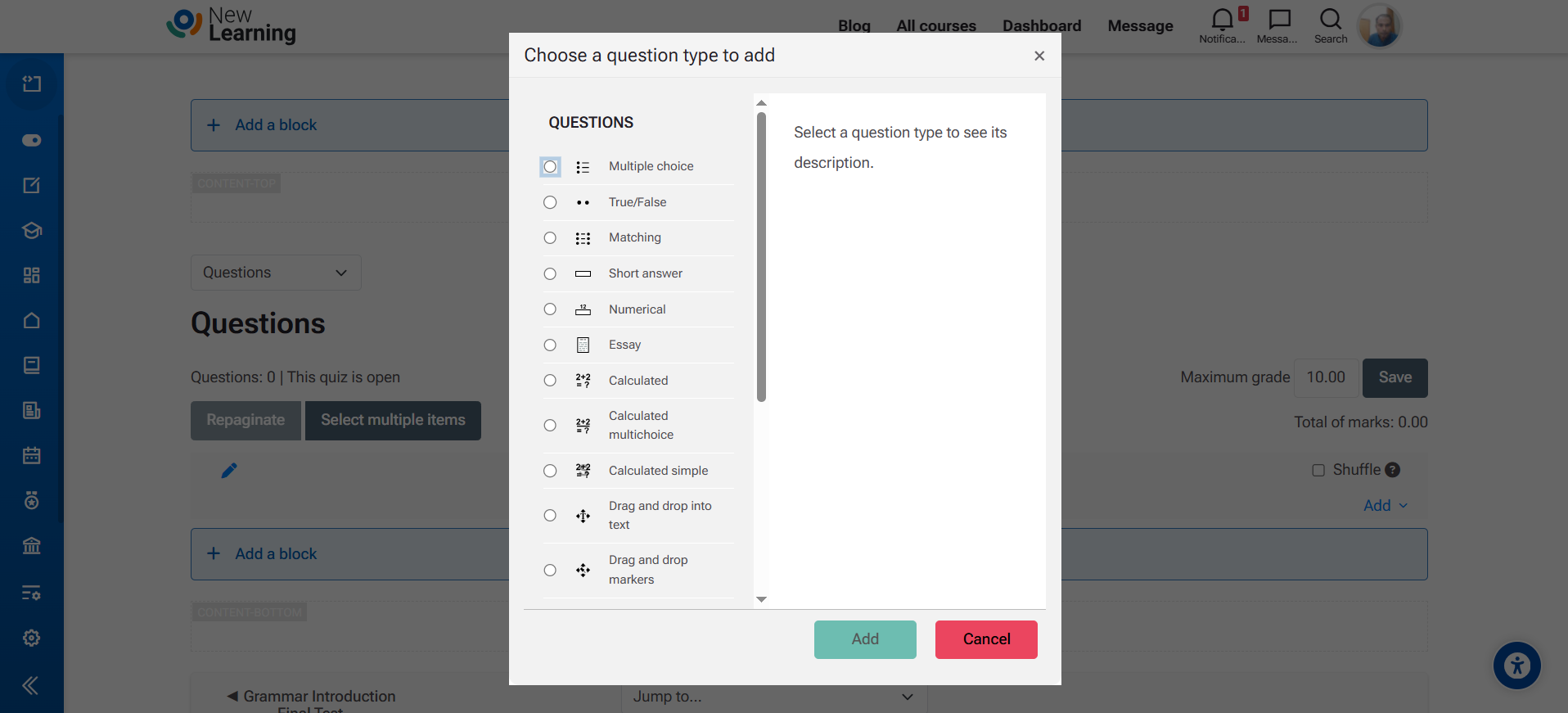
The LMS Quiz feature allows teachers to create, manage, and grade online tests easily. It supports a variety of question types — multiple choice, true/false, short answer, and more. With automatic grading and instant feedback, it keeps both teachers and students motivated and engaged in the learning process.
Teacher / Admin View
For Teachers & Admins
Teachers can generate quizzes and conduct online tests directly within LMS. They can create question banks, set time limits, randomize questions, and monitor student attempts in real time. The system automatically grades objective questions and displays results instantly. This saves time and ensures fair, efficient assessments.
Student View
For Students
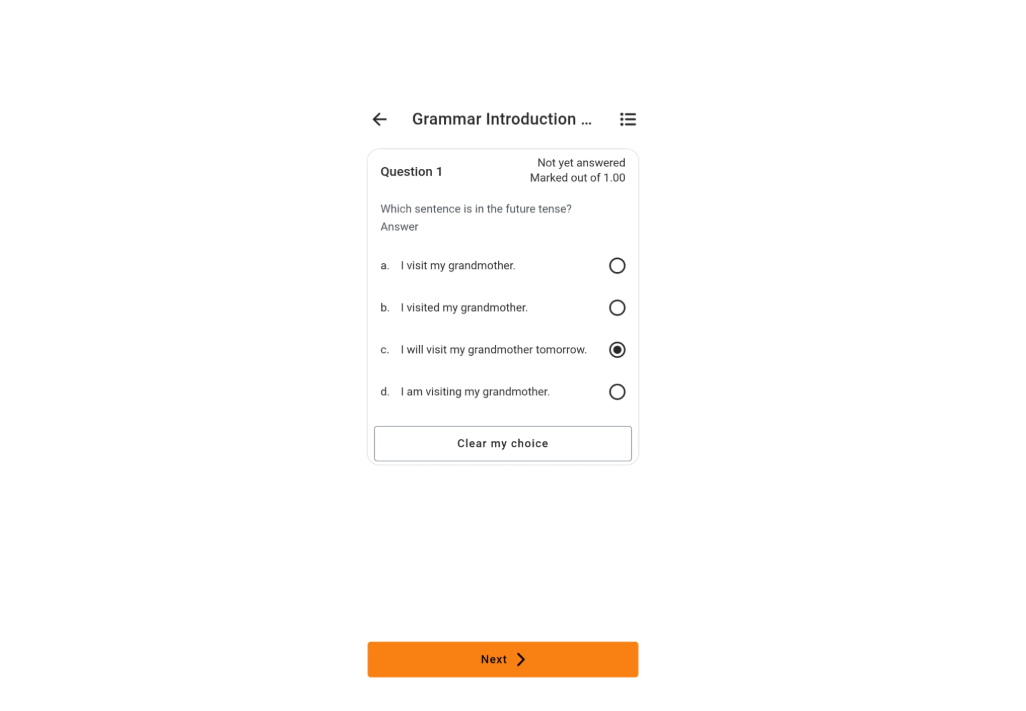
Students can take quizzes from any device, view their real-time scores, and receive instant feedback. The automatic result display helps them understand mistakes and improve learning outcomes quickly. This interactive process encourages motivation, confidence, and self-learning.
💡 Purpose & Benefits
The LMS Quiz feature enhances assessment, feedback, and motivation in the classroom. It empowers teachers to design dynamic, fair, and flexible quizzes while giving students instant results and performance insights. Auto-grading saves time, reduces errors, and keeps learning interactive and rewarding.
LMS Assignment / Homework
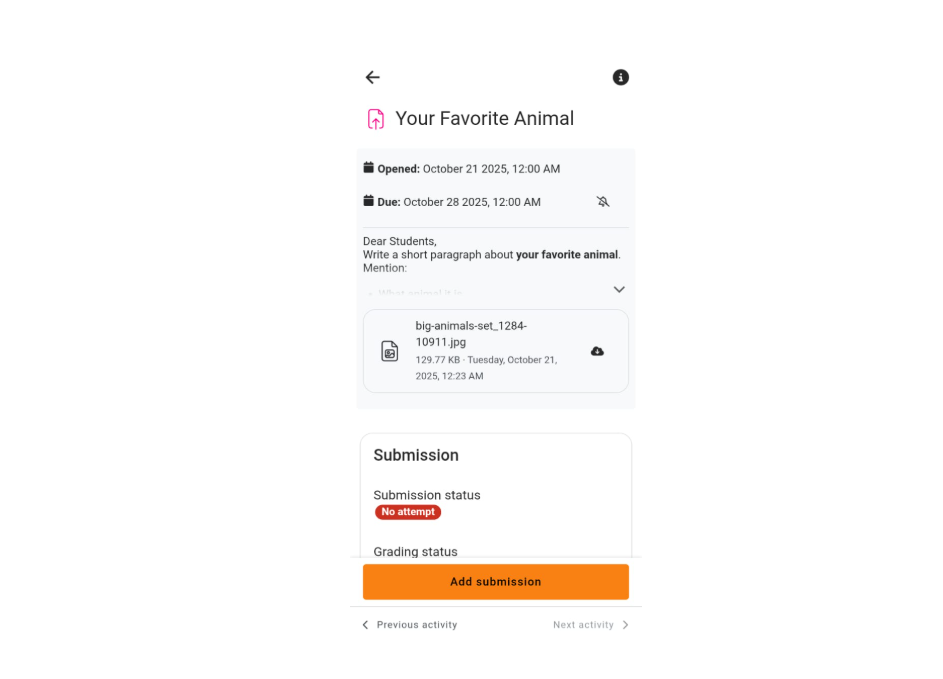
The LMS Assignment feature enables teachers to create, distribute, and grade homework or coursework online. It simplifies submission tracking and ensures timely feedback — promoting responsibility, creativity, and learning ownership.
Teacher / Admin View
For Teachers & Admins
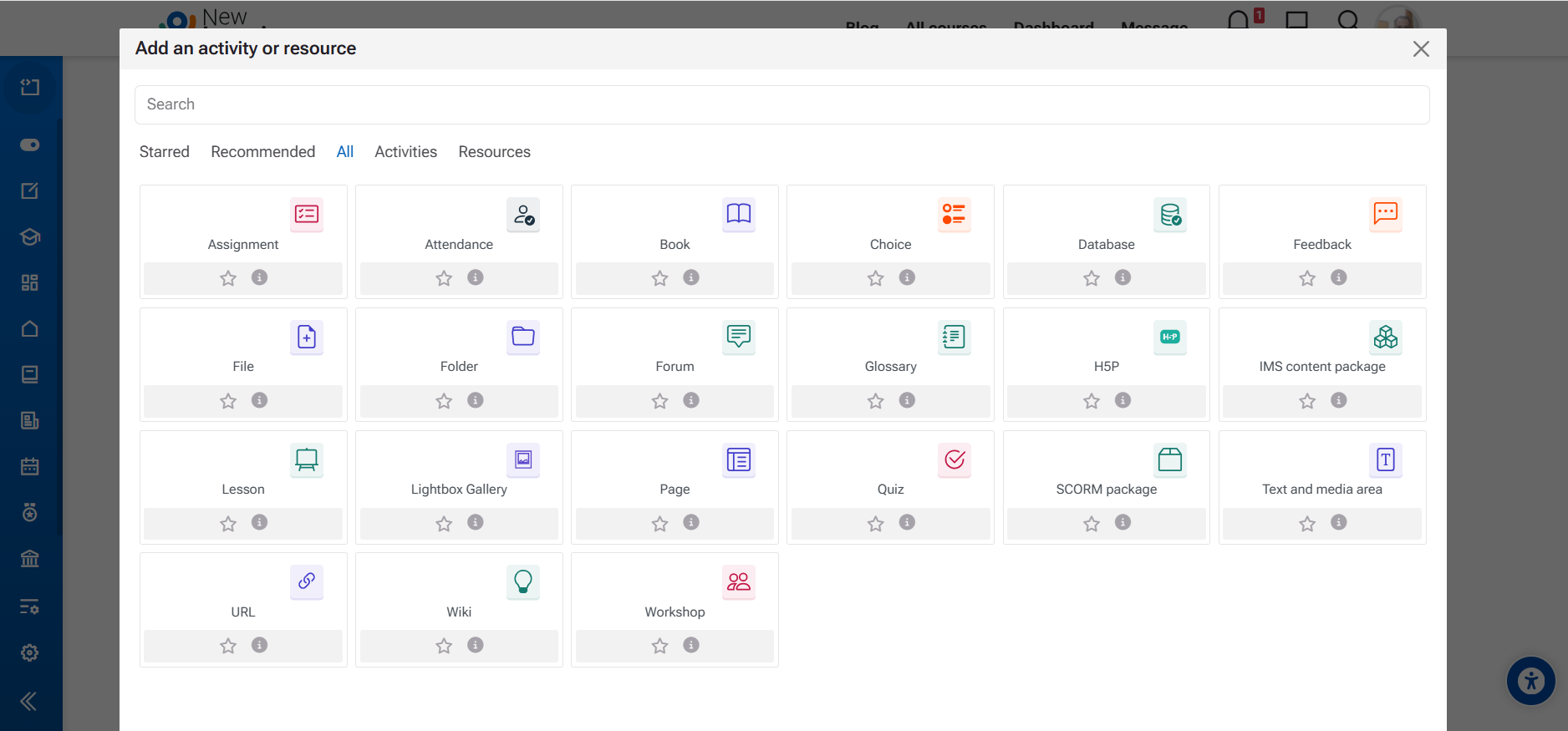
Teachers can assign homework with specific instructions, deadlines, and file upload options. They can review submissions, provide grades, and give feedback directly through LMS. Admins can monitor submission status and track overall class participation.
Student View
For Students
Students can easily submit their assignments online, attach files, and view teacher feedback. They can check due dates, grades, and remarks anytime. This builds time management skills and encourages continuous improvement.
💡 Purpose & Benefits
The LMS Assignment feature makes homework management simple, organized, and paper-free. It promotes student engagement, accountability, and motivation by providing structured submission and timely teacher feedback.
LMS Features Overview
A complete digital learning platform connecting teachers, students, and parents through communication, collaboration, and continuous learning tools.
Messaging
Real-time communication between students and teachers — encouraging collaboration and quick support.
Announcements
Share important updates, events, and class notices to keep everyone informed.
Blog
A creative space where students and teachers can share reflections, stories, and achievements.
Results
View academic performance instantly with auto-calculated results and progress tracking.
Quiz & Tests
Teachers can create quizzes, add questions, and auto-grade results — motivating students in real time.
Assignments
Students submit digital assignments while teachers provide timely feedback and grades.
Forum Discussion
A collaborative discussion board where ideas are shared and learning is enriched through peer interaction.
Attendance
Digital attendance tracking for teachers and students — ensuring accountability and participation.
School Diary
A digital diary to record daily lessons, homework, and communication between school and home.
Please click the button below to view the demo.
Choose the plan that's right for you
Simple pricing. No hidden fees. Advanced features for you business.
Basic Plan
For Startup
Free
- Access to LMS LMS
- Unlimited Courses
- Student & Teacher Dashboard
- Open Source Code
- Dedicated Support
- Training or Setup Help
Pro Business
Professional plans
4000 PKR
- Full LMS Installation
- 1-on-1 Setup Assistance
- Admin & Teacher Training
- Ongoing Technical Support
- Customization Guidance
- Free Updates
About Our School Learning System
Designed for school principals, teachers, and students — a complete digital platform for learning, communication, and motivation.
Why Schools Choose This System
Mobile App & Student Motivation
Thousands of schools and teachers trust our system
20+
0
10k
5
Our Work Process
Getting started with our School Management System is simple and smooth. From your first contact to the final setup, we make sure everything runs easily — with free installation, training, and complete support.

Contact Us
Get in touch by email or phone. Our team will understand your school’s needs and guide you through the next steps.
Free Setup & Training
We install the system for free and provide basic training to your staff. Our platform is bug-free and works on both desktop and mobile.
Go Live & Motivate Students
Start using the system right away! Track attendance, results, quizzes, and motivate students through progress reports — all in one dashboard.